
Make finances beautiful again .
.
Your finances should look great, no matter where the data is from and no matter which bank you’re with.
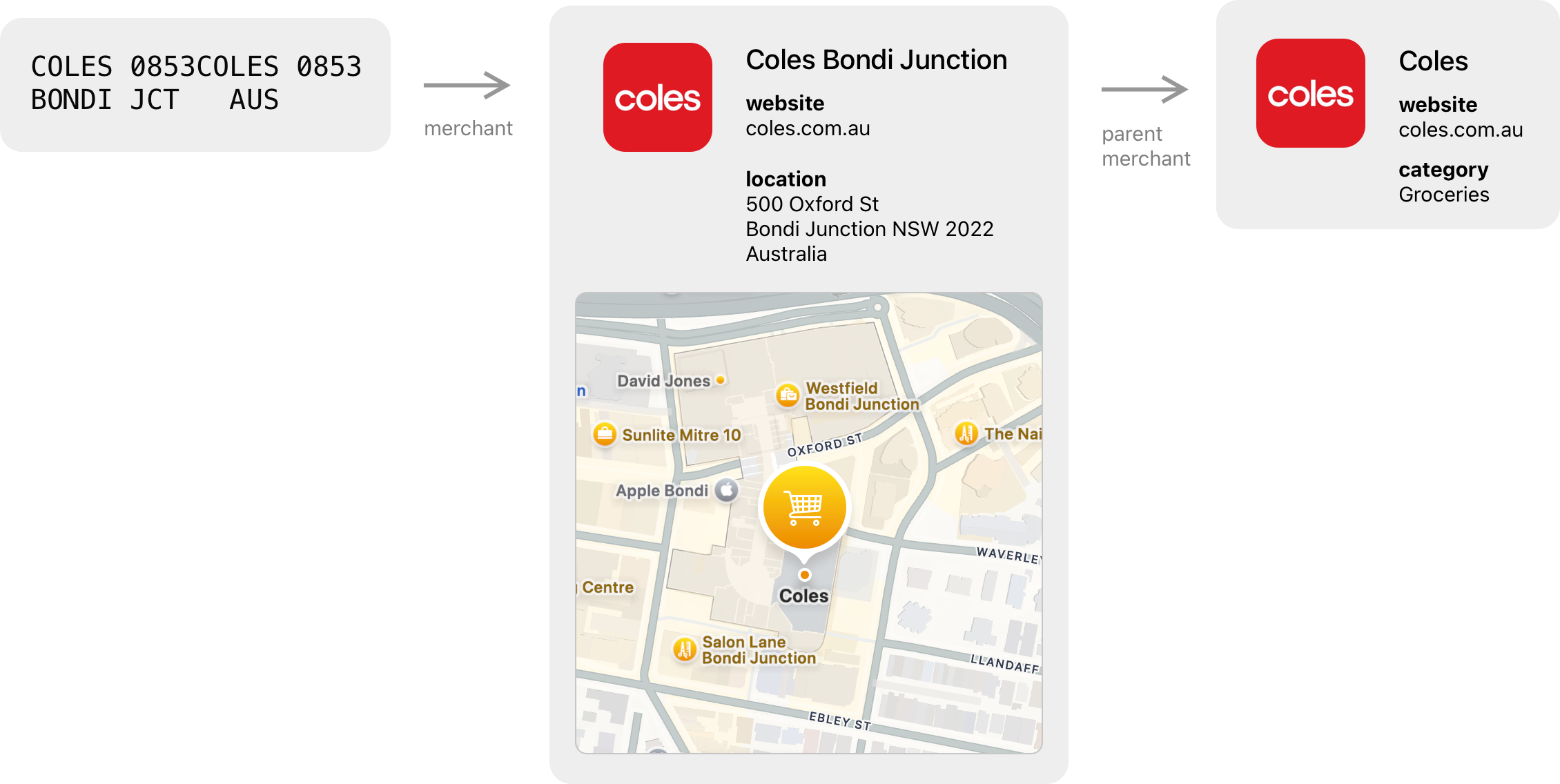
Add detail & structure to transactions.
Link transactions to merchants for merchant names, category, logo, location, and website. Add Uber pickup & drop-off information to transactions.

Powerful UI
Find information quickly. Discover spending patterns by filtering & sorting by different fields.
Intuitive Reports
Visualise your spending by category, merchant, or tag. Filter to a specific time period or by text.
Introducing Map View
View your transactions on a map to get a different perspective on your spending.
Your data. On your computer.
All data is stored in an encrypted SQLite database on your computer. We can’t access your transactions.* It also provides a faster user experience and enables you to use the app offline.
Developers can open the SQLite database in third-party apps such as TablePlus or their own apps. Create custom user interfaces on top of your finances, generate reports, or add transaction data from custom sources.
*If you choose to send transaction descriptions to our server for enrichment (the stars toolbar icon), only the description is sent, not the amount or any other details. This only happens if you click the button or opt-in via the Settings window, and you can choose which transactions get sent.AI ready.
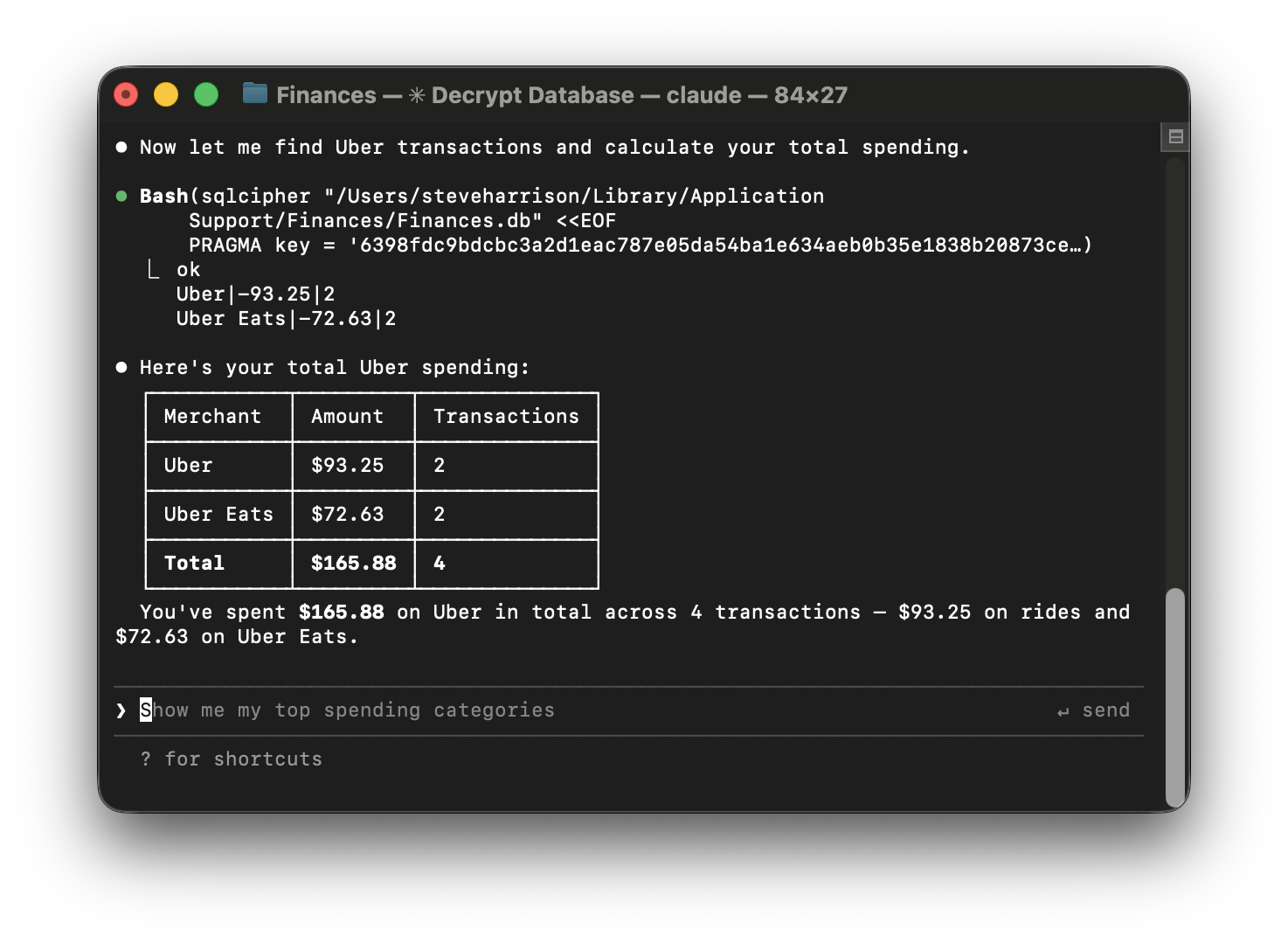
Tell an AI tool like Claude Code your database path and password, and you can start chatting with your finances. If you've linked transactions to merchants, you can ask queries like "How much have I spent on Uber this year?"
MCP server coming soon.
Easy file importing
We're launching with CSV & OFX file imports (bank syncing is coming soon). Simply download your transactions in either of these formats and drag 'n' drop the file onto the app to import. Banks format CSV files differently, so our manual field mapping tool allows you to import different CSV files without having to reformat them beforehand.
We create a unique identifier from transaction attributes so if you import overlapping files, duplicates will be skipped.
If your bank isn't supported and you're a developer, you can write an integration to insert transactions into the local SQLite database.
Developer SDK
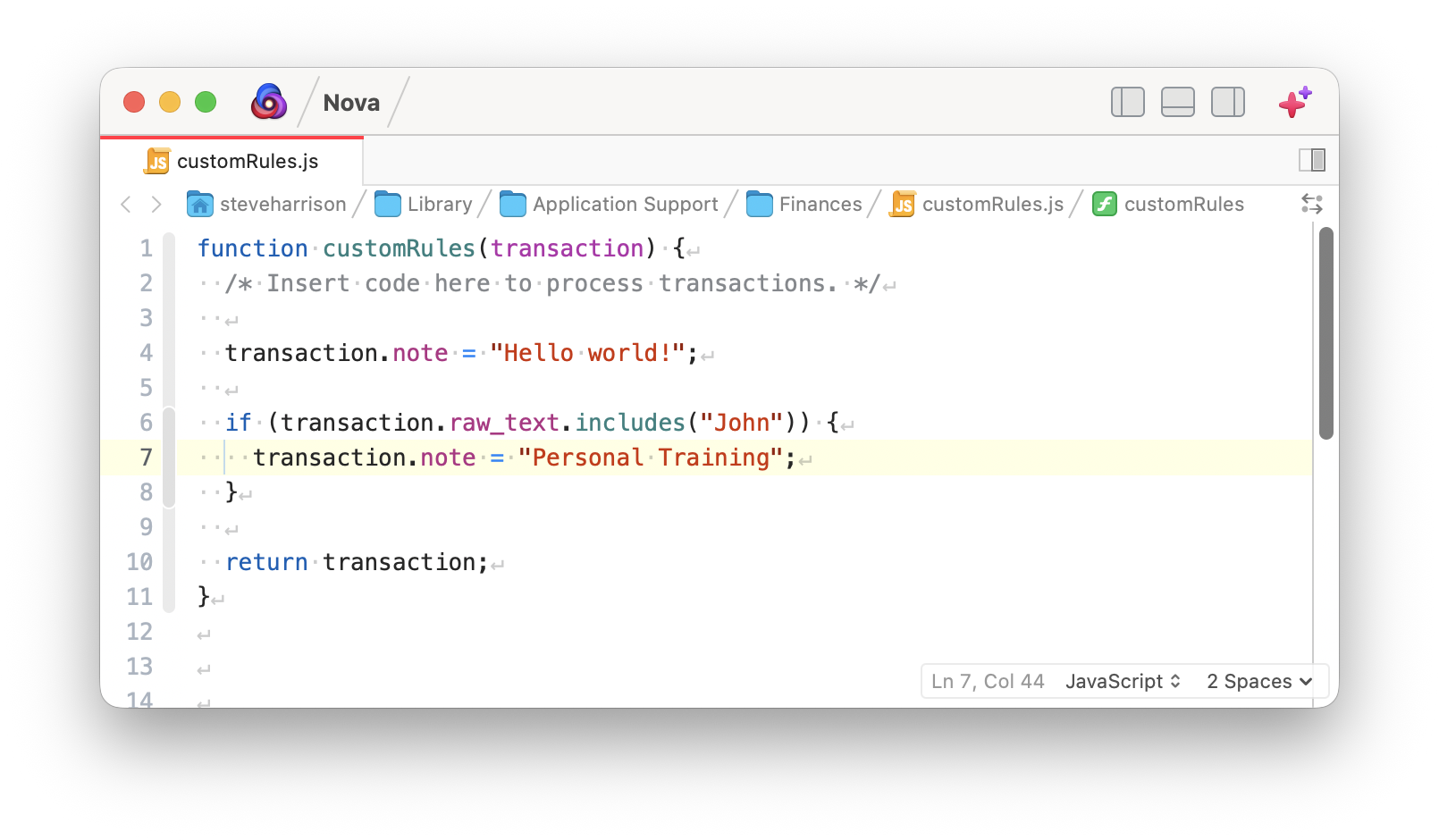
Write custom JavaScript rules to be run when new transactions are imported & haven't been enriched. In future, we'll support custom importers to read other file formats or connect to APIs.
Pricing
7-day free trial. Includes demo data to import. Remote enrich requires a licence key. Requires macOS (other platforms coming soon).
Subscription – pricing to be confirmed in the next week.
Try it yourself
Includes demo data to import. No sign up required.
Demo licence key: KESC-9QQU-VU0X-EGJP-N373
Get the app
Keep updated
Enter your email address to be notified about future updates.